ON AIR · TikTok LIVE games
Your stream, now playable.
Viewers join with a comment, and every gift sets something off on screen. Interactive games plus a stream panel for up to three accounts, in one Windows app.
- We never ask for your TikTok password
- Ready in about 5 minutes
- Cancel anytime
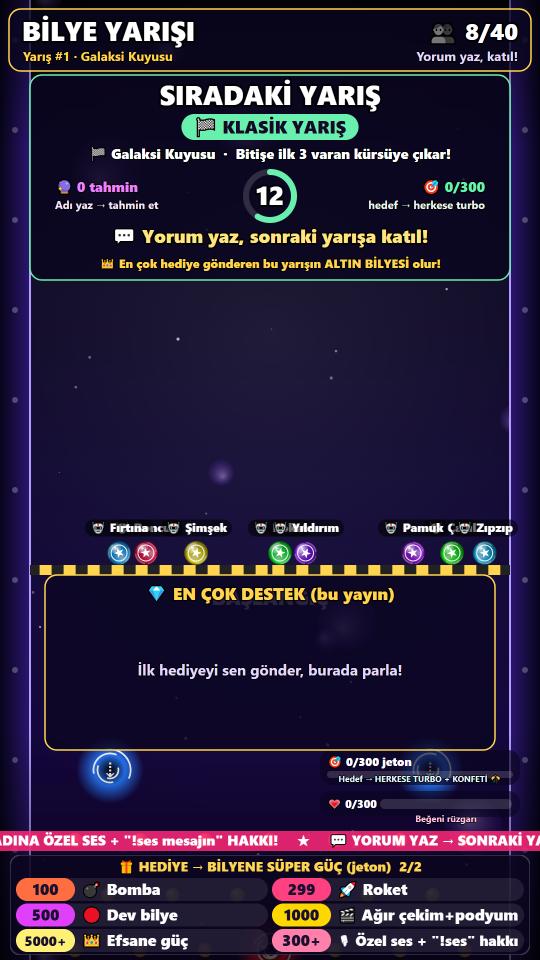
Games
Built for vertical (9:16) streams.
Stream Panels
Control everything from one screen while you're live. Pick the panel that fits your style; more are on the way.
How it works
- 1
Subscribe
Pick a package and check out on Gumroad with card or PayPal.
- 2
Download and start
Unzip CanlıKit, open it and paste the license key from your receipt. Type your TikTok username, pick a game, press Start, and add the game to OBS or TikTok LIVE Studio.
- 3
Go live
As viewers comment and send gifts, the game reacts instantly. You focus on your stream.
Pricing
Monthly subscription with instant download. Prices in USD.
Custom game for your LIVE
Want a game nobody else has? Your theme, your name on screen, your gift rules. Tell us the idea and we'll send you a quote.
- Your brand, characters or community theme
- You decide what each gift, like and comment does
- Built for vertical streams and runs in CanlıKit
Questions? Get in touch
Fill in the form and a ready-made message opens in WhatsApp. Just hit send. This form doesn't store anything.
FAQ
How does setup work?
After you subscribe, Gumroad gives you the CanlıKit download and your license key. Unzip it, open CanliKit.exe, paste the key, type your TikTok username and press Start. CanlıKit shows the exact address to add in OBS, or opens a window for TikTok LIVE Studio. Windows may warn you the first time because the app is new: click "More info", then "Run anyway". Stuck? Message us and we'll help.
Do I need to share my TikTok password?
No. The system reads the public events of your live stream (gifts, comments, likes, follows). You never share your TikTok password with us.
What do I need?
A Windows PC, Google Chrome, and TikTok LIVE Studio or OBS. Plus a TikTok account that can go live.
What language are the games in?
In-game text is currently Turkish. The mechanics are easy to follow without reading much, and English in-game text is on our roadmap. Ask us before buying if this matters for you.
I have several accounts. Is that OK?
Yes. The stream panel connects up to three accounts at once, and each one can run a different game.
Is this allowed on TikTok?
These games are not an official TikTok product; they work with the public interactions on your stream. Keeping your stream within TikTok's Community Guidelines is your responsibility. If you add your own music, don't use copyrighted songs.